
A practical guide to diagnosing and fixing indexing issues
You’ve published a new web page, hit refresh a dozen times, and eagerly searched Google only to find . . . nothing. If your page isn’t indexed, it won’t appear in search results, no matter how good your content is. This is a common problem, and the good news is that it’s usually fixable.
Let’s break down why your web page might not be indexed and what you can do about it.
What Does “Indexed” Mean?
Before a page can appear in search results, search engines must:
- Discover the page (via links, sitemaps, or manual submission)
- Crawl the page (read its content)
- Index the page (store it in their database)
If something blocks any of these steps, your page won’t be indexed.
Common Reasons Your Page Is Not Indexed
1. Your Page Is New (and Search Engines Haven’t Found It Yet)
New pages don’t always get indexed instantly. Depending on your site’s authority and crawl frequency, indexing can take anywhere from a few hours to several weeks.
What to do
- Submit the page URL through your search engine’s inspection or URL submission tool
- Add internal links from already indexed pages
- Include the page in your XML sitemap
2. “Noindex” Tag Is Blocking Indexing
A noindex directive explicitly tells search engines not to index a page.
Where to check
- HTML
<meta name="robots" content="noindex"> - HTTP headers (
X-Robots-Tag: noindex) - CMS or SEO plugin settings
What to do
- Remove the
noindexdirective - Re-request indexing after the fix
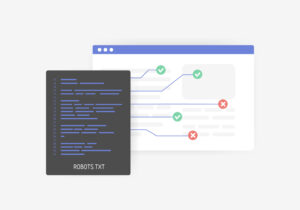
3. Robots.txt Is Blocking Crawlers
Your robots.txt file may be preventing search engines from accessing the page or even your entire site.
Example
Disallow: /blog/
What to do
- Review your
robots.txtfile carefully - Ensure important directories and pages are not disallowed
- Test URLs with a robots.txt testing tool
4. Poor or Missing Internal Linking
Search engines rely heavily on links to discover content. If no other page links to your new page, it may remain invisible.
What to do
- Add links from relevant, indexed pages
- Use descriptive anchor text
- Ensure the page is reachable within a few clicks from your homepage
5. Low-Quality or Thin Content
Search engines may choose not to index pages they believe offer little value, such as:
- Duplicate content
- Auto-generated pages
- Extremely short or shallow pages
What to do
- Expand the content with original insights
- Make sure the page serves a clear purpose
- Avoid duplicating content from other URLs
6. Duplicate Content or Canonical Issues
If multiple URLs contain the same content, search engines may index only one version.
Common causes
- Incorrect canonical tags
- HTTP vs HTTPS versions
- Trailing slash and non-trailing slash duplicates
What to do
- Use a correct canonical tag
- Redirect duplicate URLs
- Ensure only one preferred version exists
7. Server Errors or Page Accessibility Issues
If your page returns errors like:
- 404 (Not Found)
- 500 (Server Error)
- 403 (Forbidden)
…it may not be indexed at all.
What to do
- Check the page’s HTTP status code
- Fix server or permission issues
- Ensure the page loads quickly and reliably
8. Manual Actions or Security Issues
Pages affected by spam, malware, or policy violations may be excluded from indexing.
What to do
- Check for manual actions or security warnings
- Clean up spammy content or hacked files
- Submit a reconsideration request if needed
How to Check If Your Page Is Indexed
- Use
site:yourdomain.com/page-urlin Google search - Use URL inspection tools in search engine consoles
- Review indexing and coverage reports
Best Practices to Get Indexed Faster
- Publish high-quality, original content
- Ensure clean technical SEO (no blocking directives)
- Maintain a well-structured internal linking strategy
- Keep your sitemap updated
- Earn backlinks from reputable sites
Final Thoughts
If your web page is not indexed, it’s usually due to technical restrictions, lack of discovery, or quality concerns not because you did something wrong. By systematically checking the causes above, you can identify the issue and fix it efficiently.
Indexing is the gateway to visibility. Once your page is indexed, real SEO work, ranking and traffic growth, can truly begin. 🚀
Submit your review | |